
Work Order Status Overview
Work Order Status is where you manage the statuses used to track the progress of work orders, such as Scheduled, In Progress and Completed. UPVOIT includes 12 default statuses. You can add your own statuses to match your company’s process.
Each status has its own colours, which are used for its status badge in both light mode and dark mode.
To open it, click the gear icon and then Work Order Status in the Settings menu.
View Work Order Statuses

The Work Order Status page lists all statuses. The Add Status button is at the top right.
Each row shows:
-
Name – the status name.
-
Light Background Color and Light Badge Color – the colours of the status badge in light mode.
-
Dark Background Color and Dark Badge Color – the colours of the status badge in dark mode.
-
Actions – the edit (pencil) and delete (red bin) icons.
Default statuses
The 12 default statuses are Created, Scheduled, In Progress, On Hold, Waiting For Parts, Completed, Cancelled, In Review, On The Way, Invoiced, Partially Paid and Paid.
Default statuses cannot be edited or deleted, so they have no action icons. Only statuses you add yourself can be edited or deleted.
Add Work Order Status
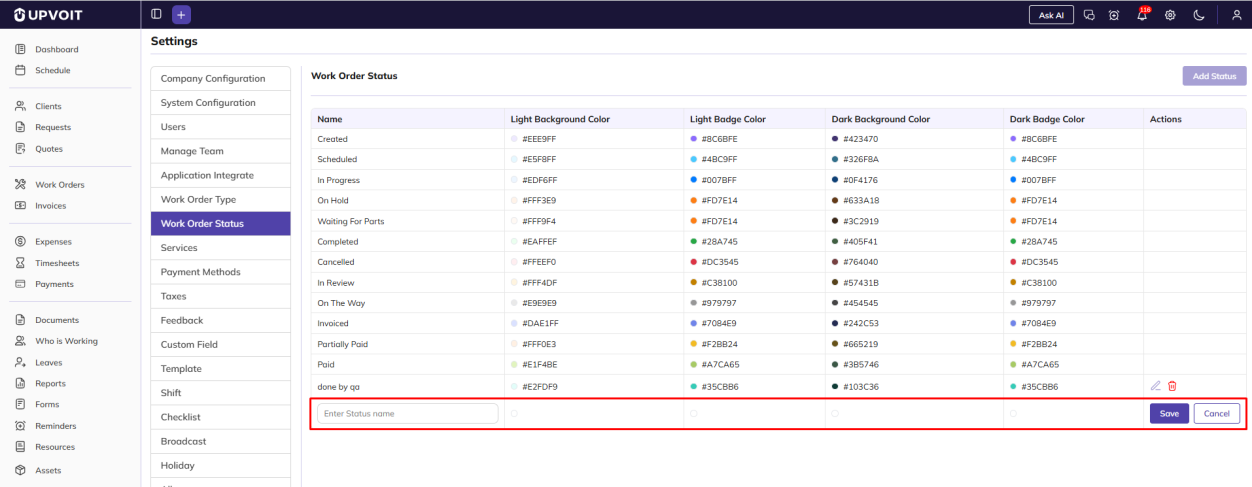
When you click Add Status, a new row appears at the bottom of the list. Enter the status name and choose its colours directly in the row.
Edit Work Order Status
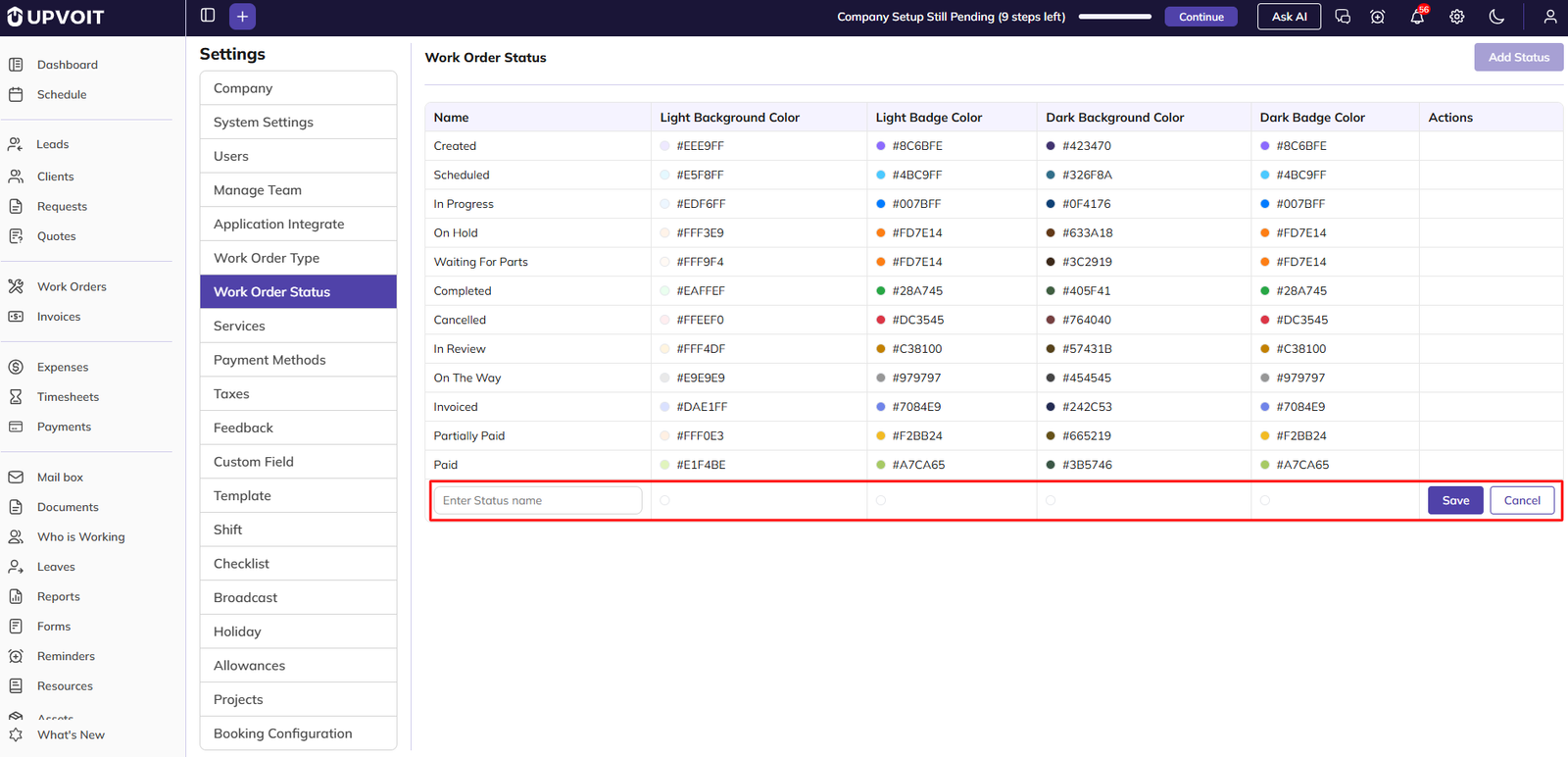
Clicking the edit (pencil) icon opens the status row for editing, in the same way as adding a status. The name and colours can be changed directly in the row. While a row is being edited, Add Status is greyed out.
Delete Work Order Status
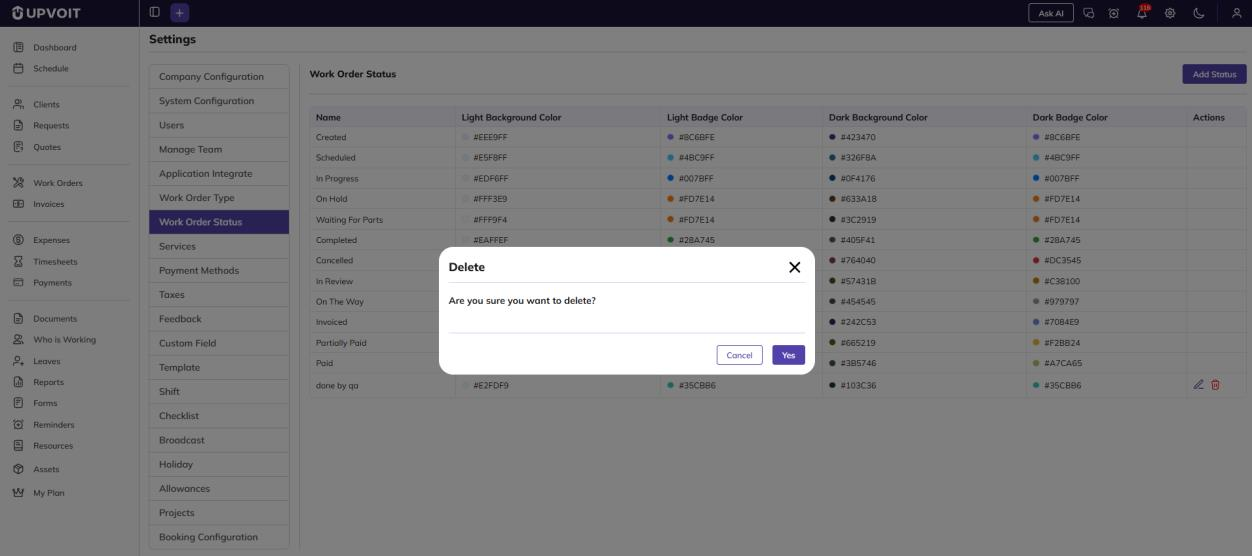
Clicking the delete (red bin) icon opens a Delete confirmation message: Are you sure you want to delete?
-
Click Yes to delete the status.
-
Click Cancel to keep it.
Where Work Order Statuses Are Used

Work order statuses are used in the Work Orders module to show and track the progress of each work order. A work order’s status appears as a coloured badge, using the colours set on this page.
Statuses are also used in these settings:
-
Schedule Color System – when set to Work Order Status Wise, work orders are coloured on the schedule by status (see 2.4 Work Order).
-
Default Payroll Work Order Status – sets the status used by default to filter timesheets and payroll (see 2.6 Payroll).
Did this answer your question?


