
Holiday Overview
Holiday (shown on screen as Holiday (Premium Day)) is where you list your company’s holidays, such as Independence Day or Labor Day. Hours worked on a holiday are paid and billed at the Premium Rate instead of the normal rate.
View Holidays

The Holiday (Premium Day) page lists your holidays, with the name and date of each. Use Create Holiday at the top right to add a new one.
-
Search holiday: find a holiday by name.
-
Year: choose a year from the dropdown (for example, 2026) to see that year’s holidays.
-
Sort: click the sort icons next to Holiday Name or Holiday Date to reorder the list.
-
Action icons: edit (pencil) and delete (red bin).
Add Holiday
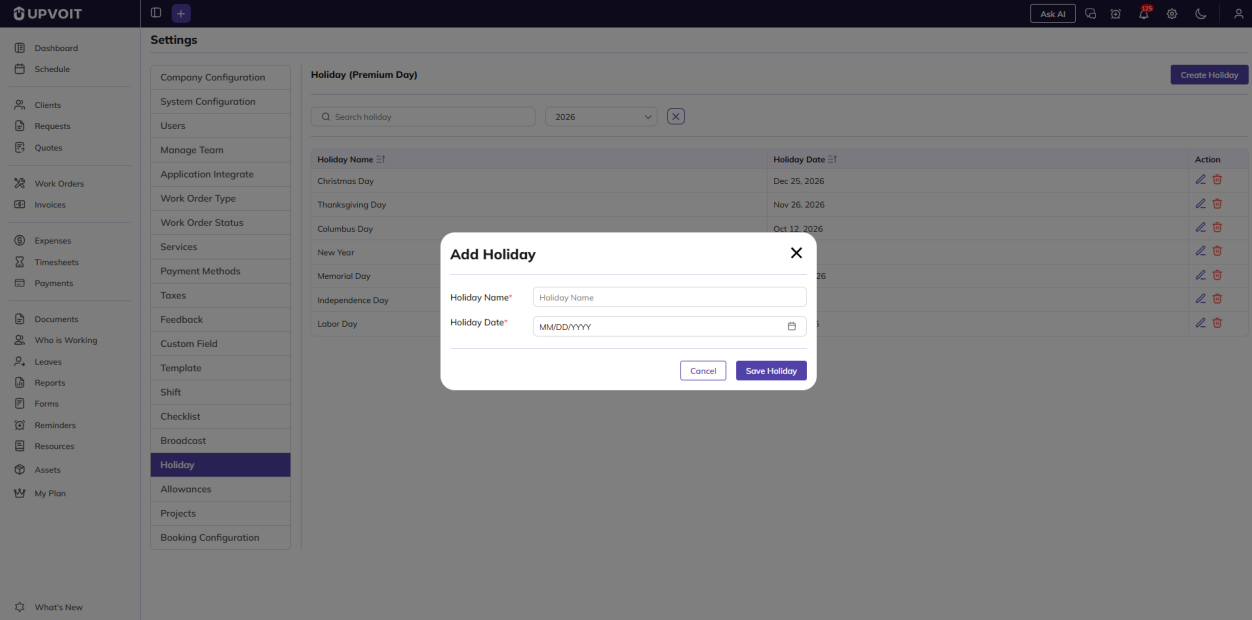
Clicking Create Holiday opens the Add Holiday window. Both fields are required (marked *):
-
Holiday Name: the name of the holiday.
-
Holiday Date: the date of the holiday, chosen from the calendar.
Edit Holiday
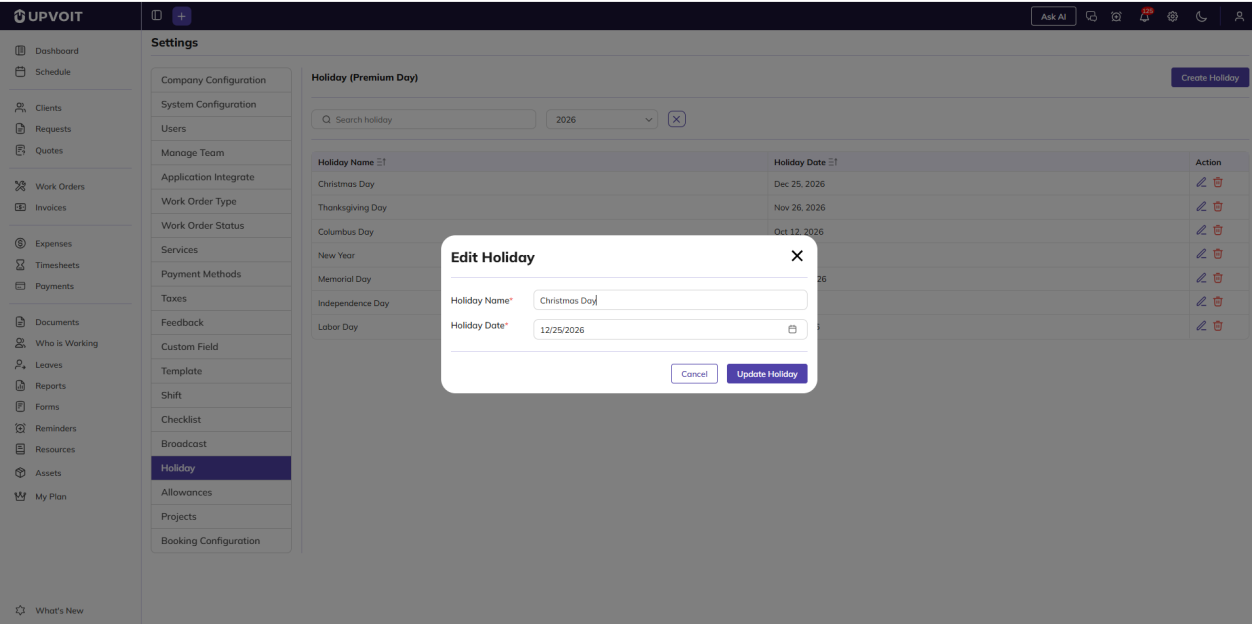
Clicking the edit (pencil) icon opens the Edit Holiday window with the holiday’s saved name and date already filled in.
Delete Holiday
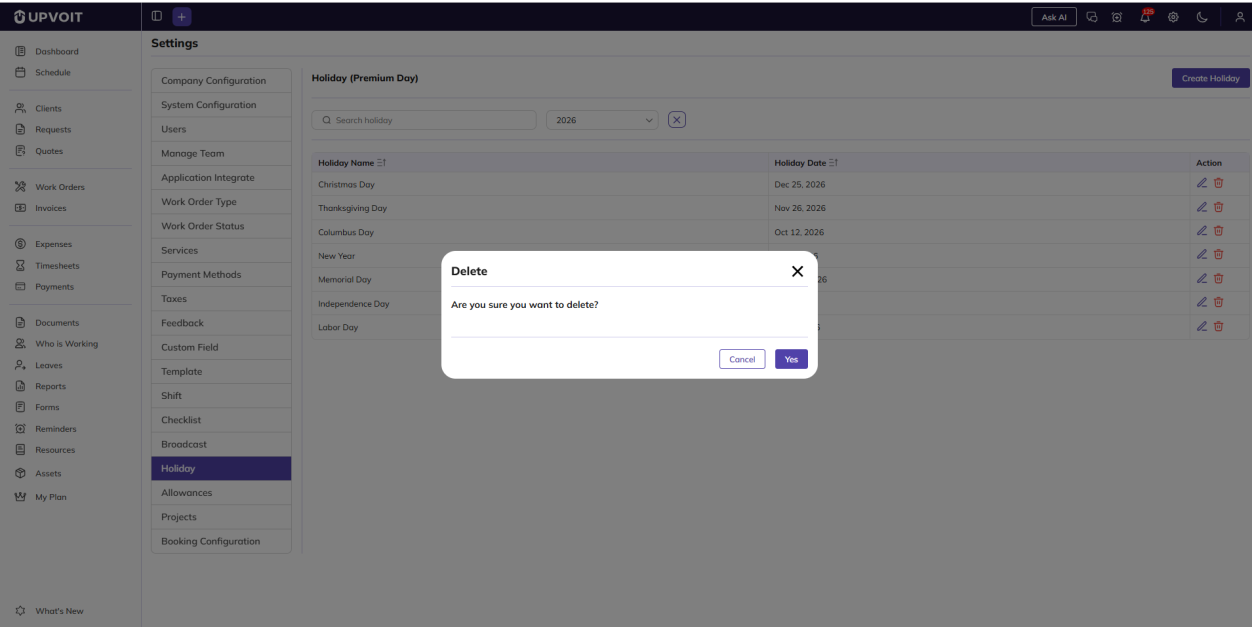
Clicking the delete (red bin) icon opens a Delete confirmation message: Are you sure you want to delete?
Where Holidays Are Used
Holidays are used when labor is added to a work order. When you click Add Time and choose a Date, UPVOIT checks whether that date is a holiday and calculates the labor differently.
On regular day
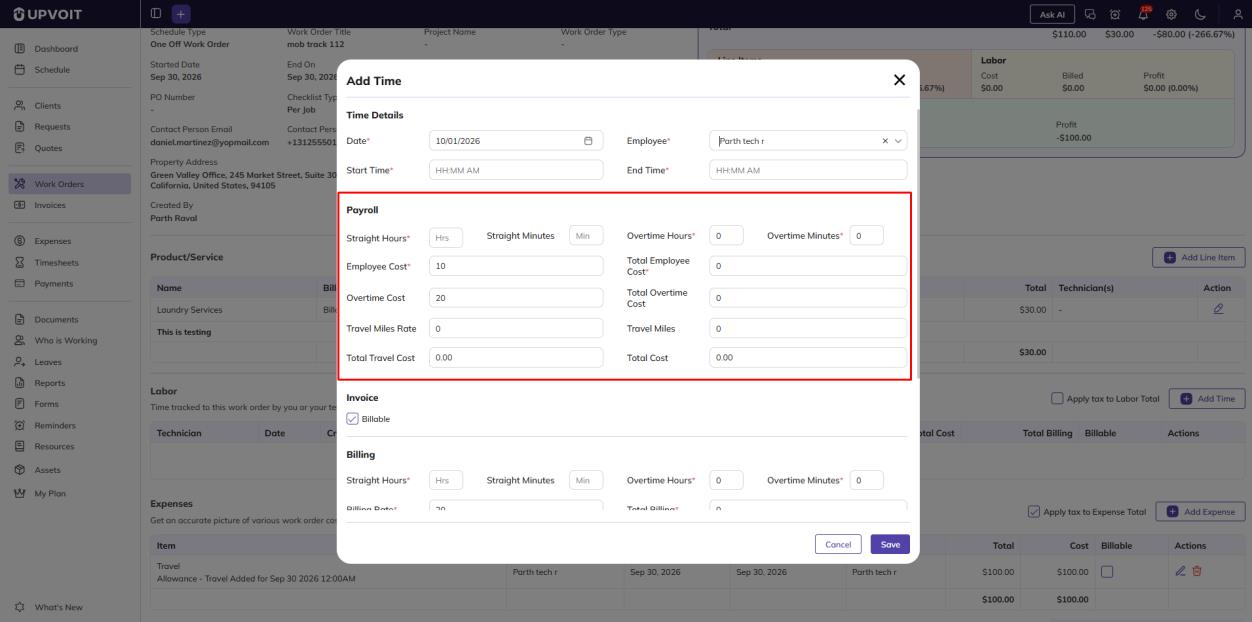
Hours are split into straight hours and overtime. Payroll uses the Employee Cost and Overtime Cost, and Billing uses the normal billing and overtime rates.
On holiday
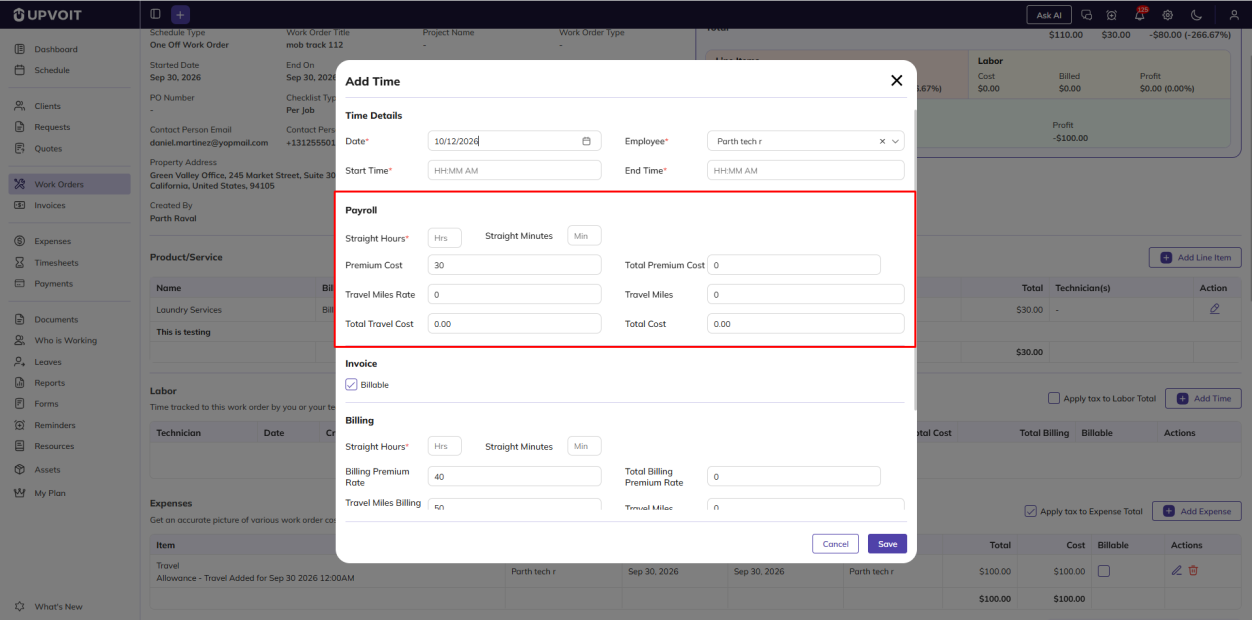
All hours are counted as premium hours, and the overtime fields are hidden.
-
Payroll shows Premium Cost and Total Premium Cost, so the technician is paid at their premium pay rate.
-
Billing shows Billing Premium Rate and Total Billing Premium Rate, so the client is billed at the premium billing rate.
The premium rates come from the technician’s Payroll & Billing tab: Premium Rate $ under Payroll and Premium Rate $ under Billing (see 3.2 Add a User).
For example, if the technician’s payroll Premium Rate is $30 and their billing Premium Rate is $40, hours worked on Columbus Day(Oct 12, 2026) are paid at $30 per hour and billed at $40 per hour.
Did this answer your question?


