
Projects Overview
Projects lets you group related work orders under one project, such as an HVAC Installation Project or a Landscape Improvement Project. This is useful for larger jobs that are spread across several work orders. A project can belong to one client or be available to all clients.
Note: The Projects menu appears in Settings only when Enable Project Management in Work Order is ticked in System Configuration → Work Order (see 2.4 Work Order).
View Projects

The Projects page has two parts:
-
Top panel: where you add or edit a project, using Project Name, Client, Cancel and Save.
-
Project list: all your projects, with the Client each one belongs to. A dash (–) means the project is not linked to a client and is available to all clients.
Above the list you can:
-
Type in Search project to find a project by name.
-
Choose a client in Select Client to show only that client’s projects.
-
Click the sort icons next to Project Name or Client to reorder the list.
Each project has an edit (pencil) and a delete (red bin) icon under Actions.
Add Project
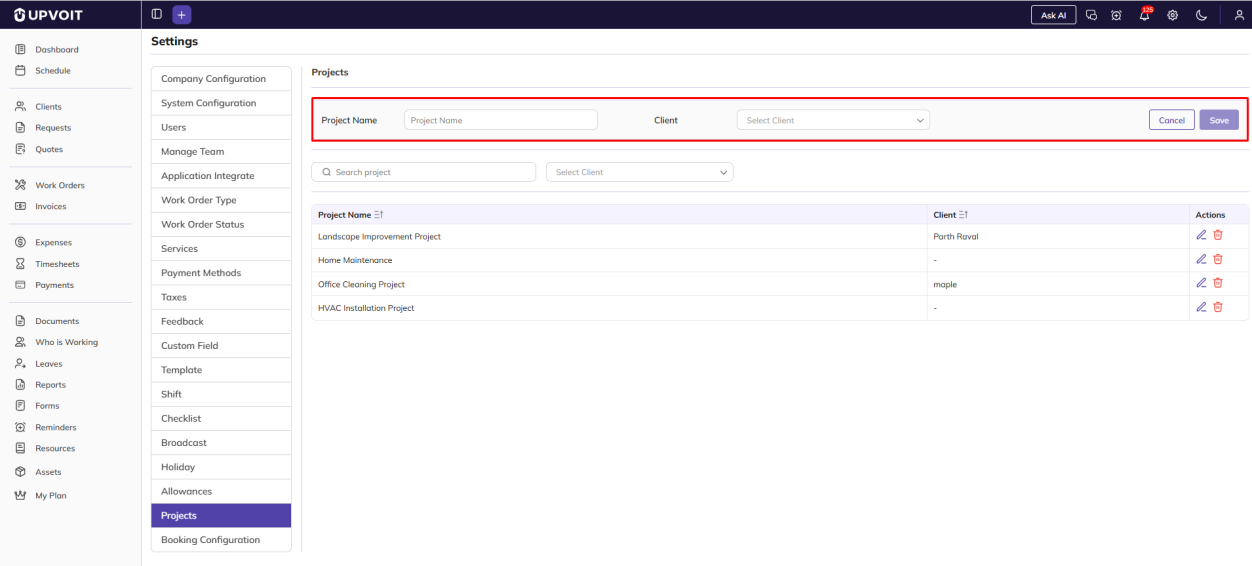
Projects are added from the top panel of the Projects page:
-
Project Name: the name of the project. Save becomes active once a name is entered.
-
Client (optional): the client the project belongs to.
-
Client selected: the project is available only for that client’s work orders.
-
No client selected: the project is available for all clients’ work orders.
-
Edit Project
Editing works in the same way as adding. When you click the edit (pencil) icon, the project’s name and client are filled in the top panel.
Delete Project
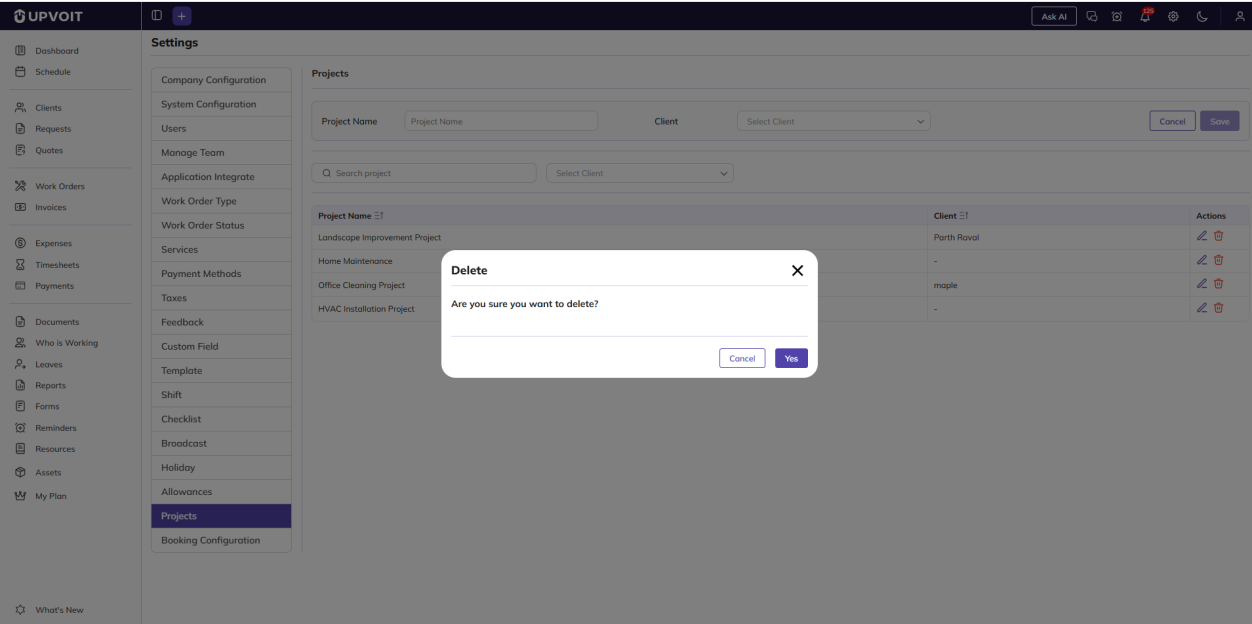
Clicking the delete (red bin) icon opens a Delete confirmation message: Are you sure you want to delete?
Where Projects Are Used

Projects are used in the Work Orders module. When you create or edit a work order, choose a project from the Project dropdown (Select Project).
Projects linked to other clients are not shown. In the example, the client is Michael Anderson, so the dropdown shows only HVAC Installation Project and Home Maintenance, the two projects that have no client.
Did this answer your question?


