
The Who’s Working Module in Upvoit provides real-time visibility into technicians who are actively working on jobs. Managing field teams without live location updates can lead to inaccurate ETAs, delayed responses, and communication gaps between managers, technicians, and customers.
To address this, Upvoit offers a real-time GPS tracking feature that allows managers to monitor technician locations while they are clocked in on a job. The module is designed to improve operational transparency, enhance dispatching decisions, and ensure customers receive accurate and timely updates, while still giving organizations full control over when tracking is enabled or disabled.
GPS Tracking Configuration
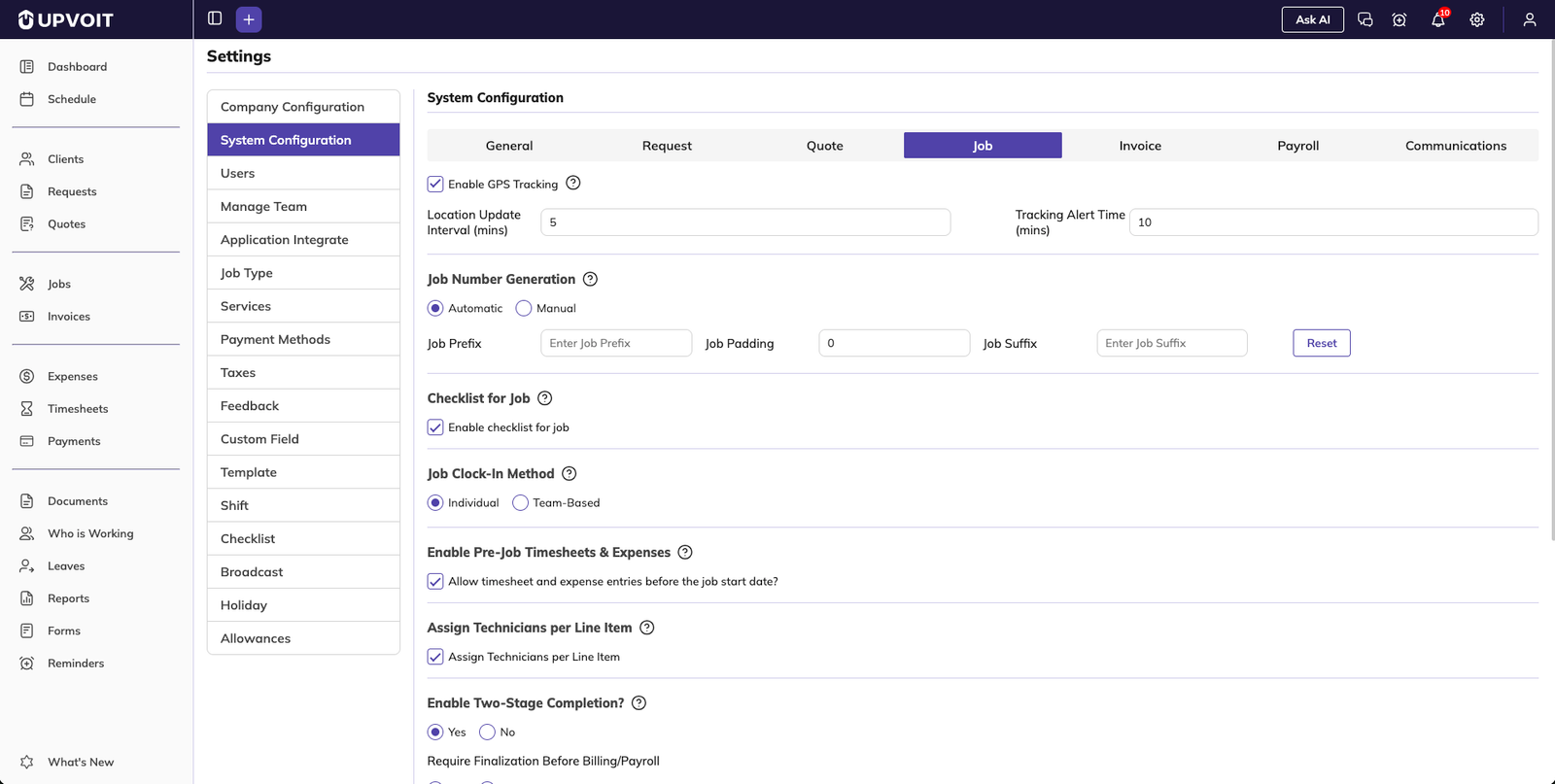
Enabling or Disabling Live Tracking
GPS tracking can be turned on or off from system settings.
Tracking can be configured to work only when technicians are clocked in to a job.
Full control is provided to ensure tracking is active only when required.
Tracking Interval Settings
When tracking is enabled:
Upvoit automatically requests technician location data at regular intervals.
A minimum time interval can be configured.
Example: If set to 5 minutes, the app will attempt to fetch GPS data every 5 minutes.
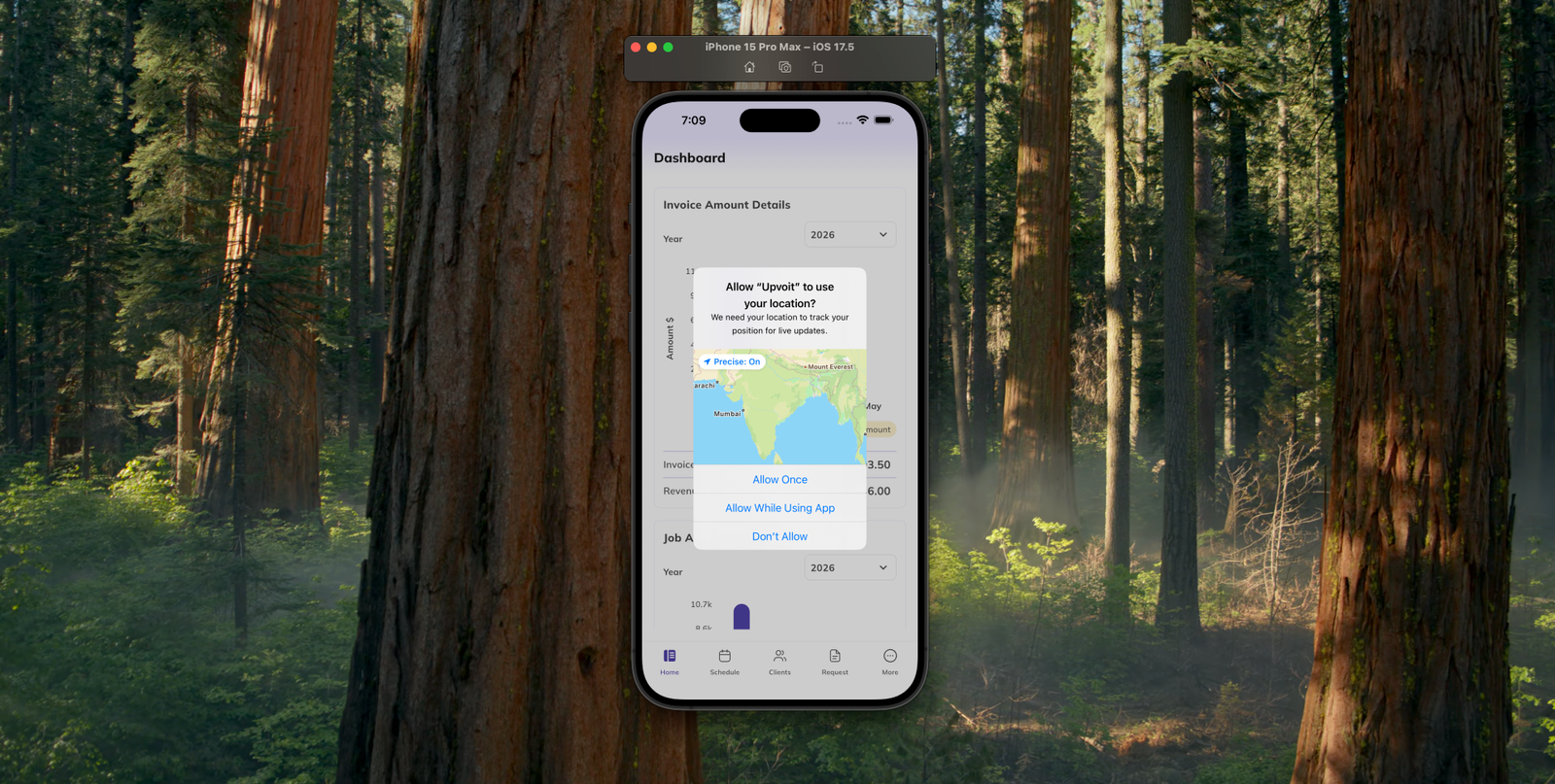
Tracking begins after the technician clocks in to a specific job.
This configuration helps balance accuracy with battery usage and privacy considerations.
Technician Clock-In and Location Permission
Clock-In Flow
Technicians clock in through the mobile application.
Upon clock-in, the app requests permission to access the device’s location.
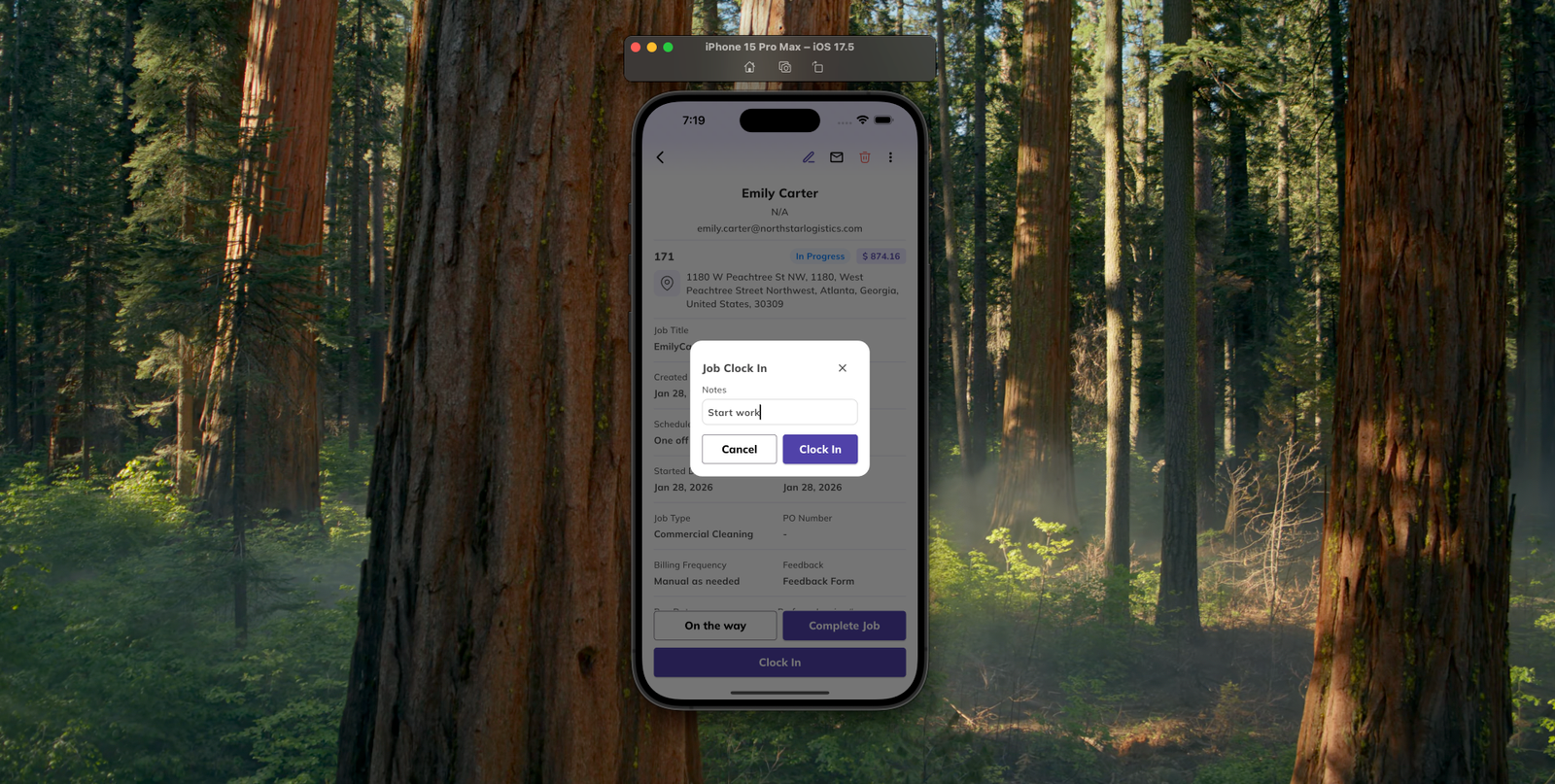
Location Permission Handling
Tracking starts automatically once:
Location permission is granted.
The technician is clocked in to a job.
If permission is denied, live tracking will not be active.
Who’s Working Page
The Who’s Working page provides a centralized, real-time overview of all active technicians.
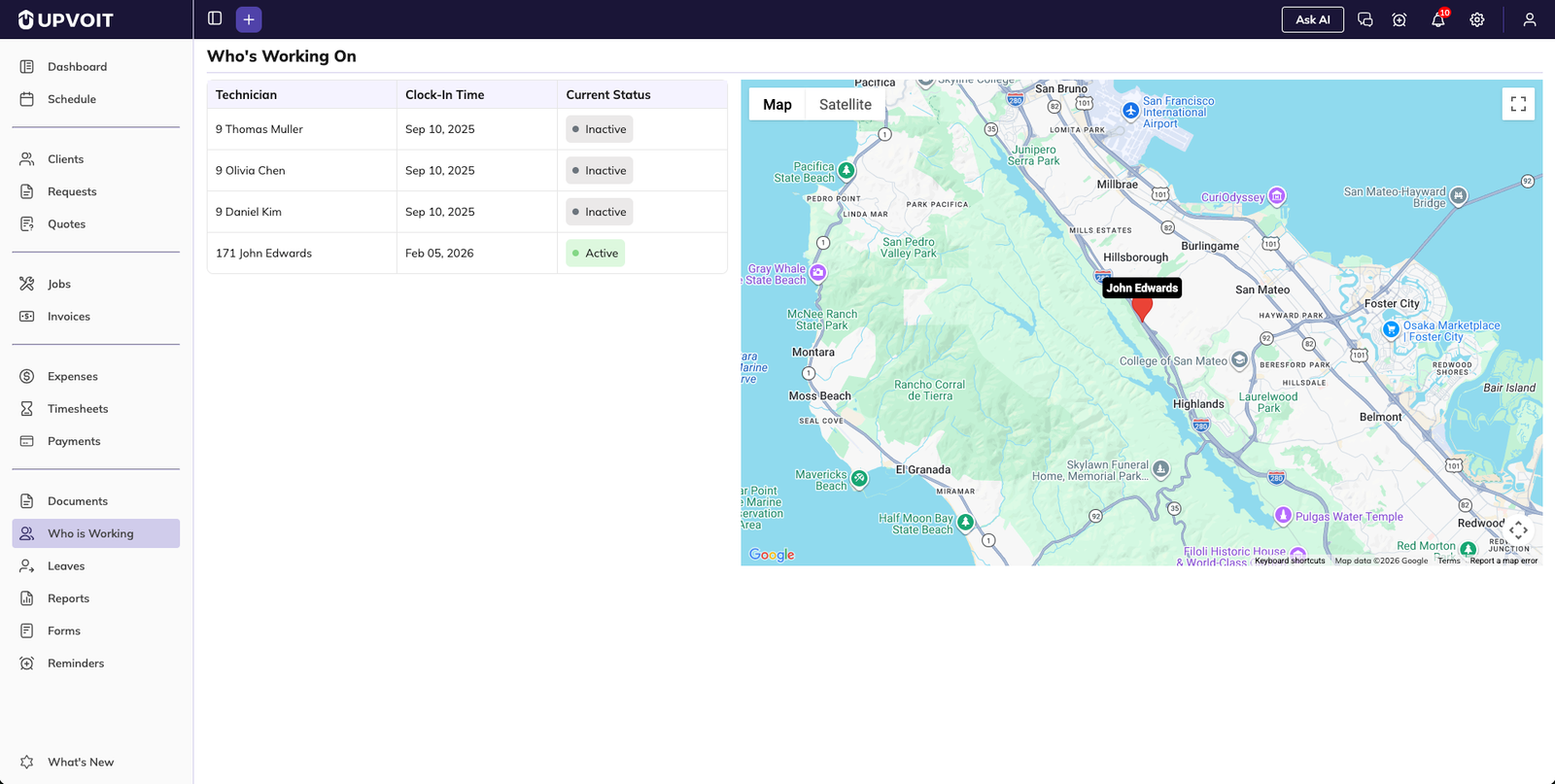
Technician List View
For each active technician, the following details are displayed:
Technician name
Job number currently being worked on
Clock-in time
Tracking status (location tracking active or inactive)
This information helps managers quickly understand who is working and on which job.
Real-Time Updates
The page can be refreshed to fetch the latest location updates.
Tracking data updates as technicians move between locations.
Map View
Live Location Map
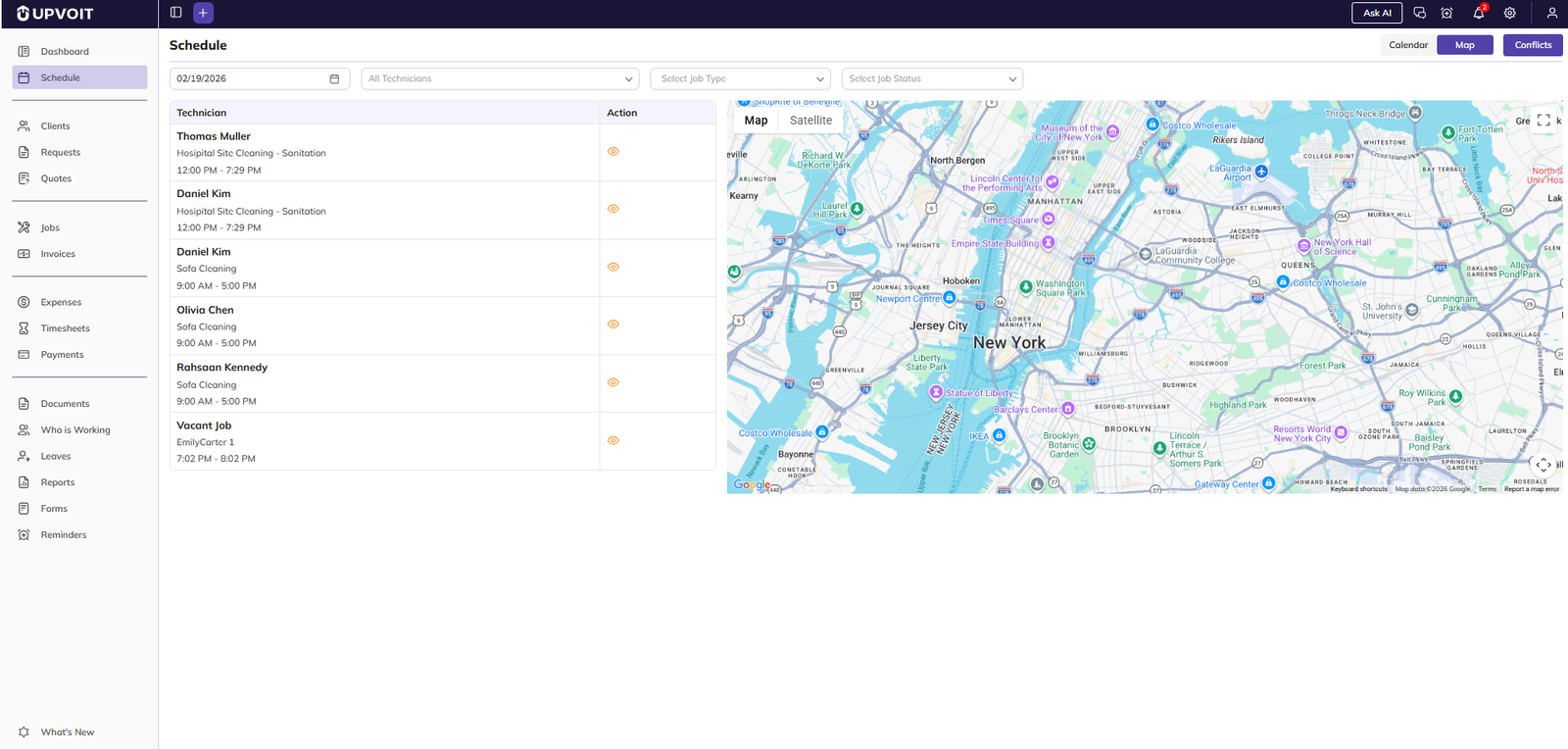
The Who’s Working page includes a map view that visually displays technician locations in real time.
Each technician’s current position is shown on the map.
Location updates reflect the latest GPS data received.
Focusing on a Technician
Selecting a technician from the list automatically updates the map.
The map zooms in to show the exact location of the selected technician.
This feature allows managers to quickly focus on a specific technician when needed.
Benefits of the Who’s Working Module
Using this module helps organizations:
Monitor technician movement in real time.
Improve job dispatching and routing decisions.
Provide more accurate ETAs to customers.
Reduce unnecessary communication and follow-ups.
Gain a clear overview of job progress across teams.
Privacy and Best Practices
Upvoit strongly encourages transparency when using live GPS tracking. Best practices include:
Clearly explaining to technicians why tracking is enabled.
Communicating when tracking is active and when it is not.
Using tracking only during working hours or job-related activities.
Being open about tracking builds trust, improves adoption, and ensures smoother workflows across teams.
Summary
The Who’s Working Module gives managers real-time insight into technician activity and job progress. By combining live GPS tracking with clear visibility into clock-in status and job assignments, Upvoit helps teams stay coordinated, improve customer communication, and manage field operations more efficiently, all from a single, easy-to-use interface.
Did this answer your question?


