
Module Overview
The Leave Management Module in Upvoit simplifies how employees apply for leave and how managers review, approve, or reject leave requests. It provides a centralized and transparent system to manage employee absences while ensuring ongoing work and job assignments are handled smoothly.
With this module, organizations can:
Allow employees to apply for leave easily
Enable managers to review leave details in one place
Manage job assignments during employee absence
Maintain accurate leave records and statuses
Accessing the Leave Management Module
From the left-hand sidebar, click on Leaves. This opens the Leaves Listing page, where all leave requests are displayed.
Leaves Listing Page
The listing page provides a complete overview of all leave requests in the system.
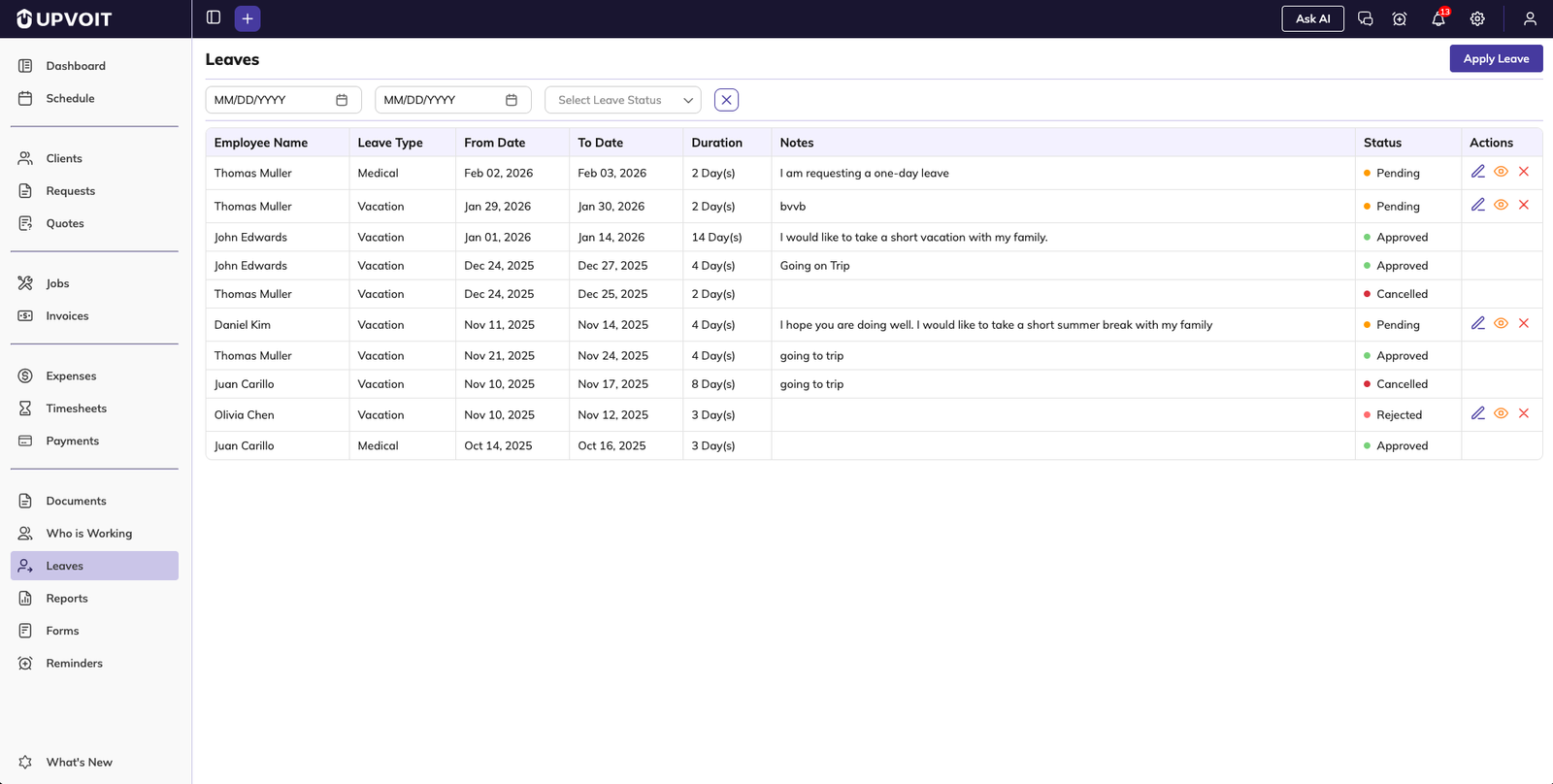
3.1 Leave Details
Each leave request displays the following information:
Employee name
Leave type (e.g., Vacation, Sick Leave)
From date and To date
Total leave duration
Remarks or notes
Current leave status (Pending, Approved, Rejected)
3.2 Filters and Search
Users can quickly find specific leave requests using filters:
Filter by date range
Filter by leave status
These filters help streamline leave tracking, especially for larger teams.
Applying for Leave
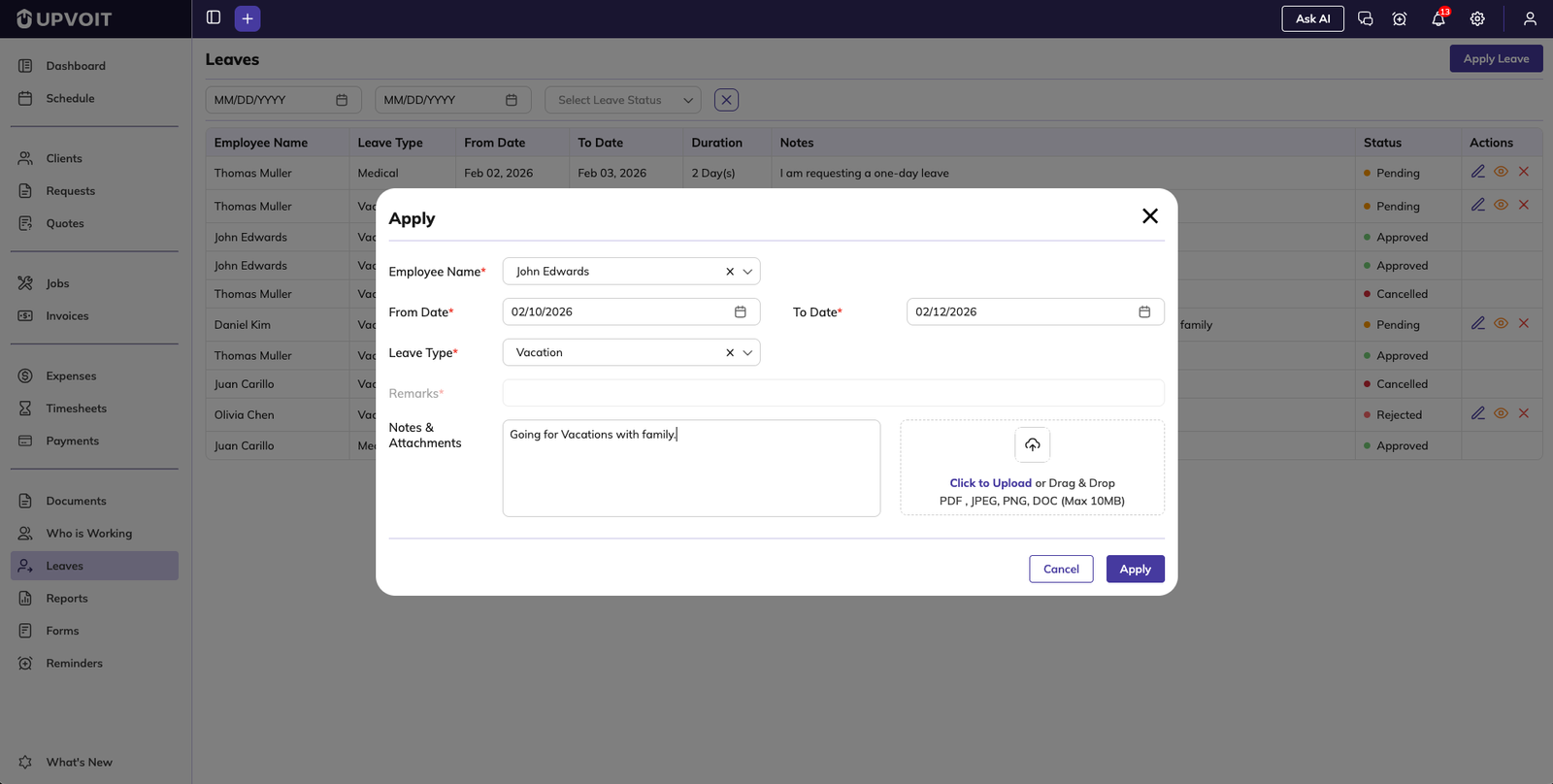
4.1 Create Leave Request
To apply for a new leave:
Click on Apply Leave
Select the employee name for whom the leave is being applied
Choose the from date and to date using the date picker
Select the leave type (such as vacation)
Enter remarks or additional notes
Upload supporting documents (e.g., medical certificates), if required
Once all details are filled, click Apply to submit the leave request.
4.2 Leave Submission Status
After submission, the leave request appears in the list with a Pending status. The request remains pending until reviewed by a manager.
Editing a Pending Leave Request
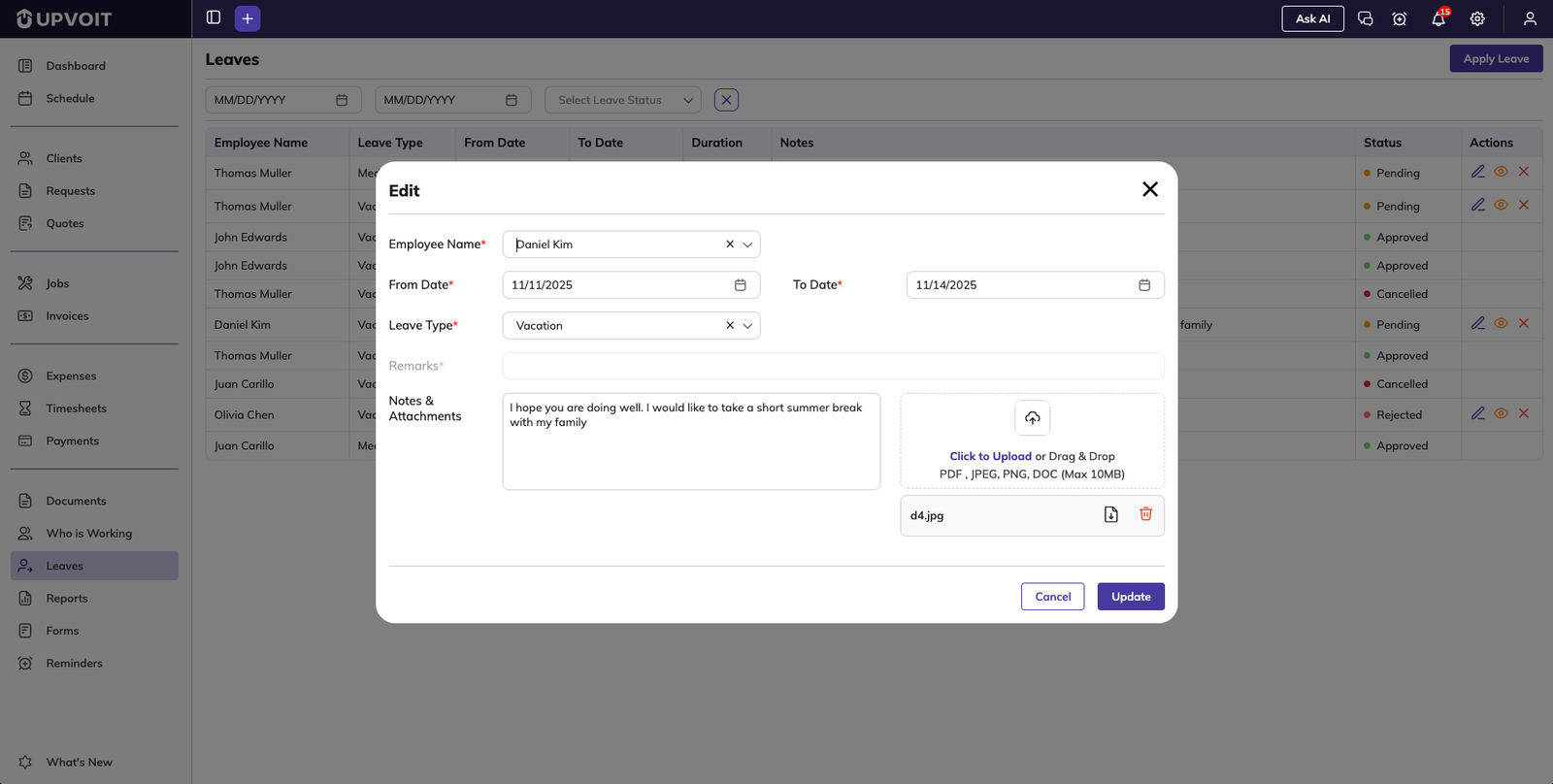
Pending leave requests can be edited at any time. Users can update:
Leave dates
Leave type
Notes or remarks
Attachments
Click Update to save changes. Once a leave is approved or rejected, it can no longer be edited.
Manager Review and Approval
6.1 Viewing Leave Details
Managers can open a leave request to view complete information, including:
Leave duration
Notes and remarks
Related jobs scheduled during the leave period
Impact on work assignments
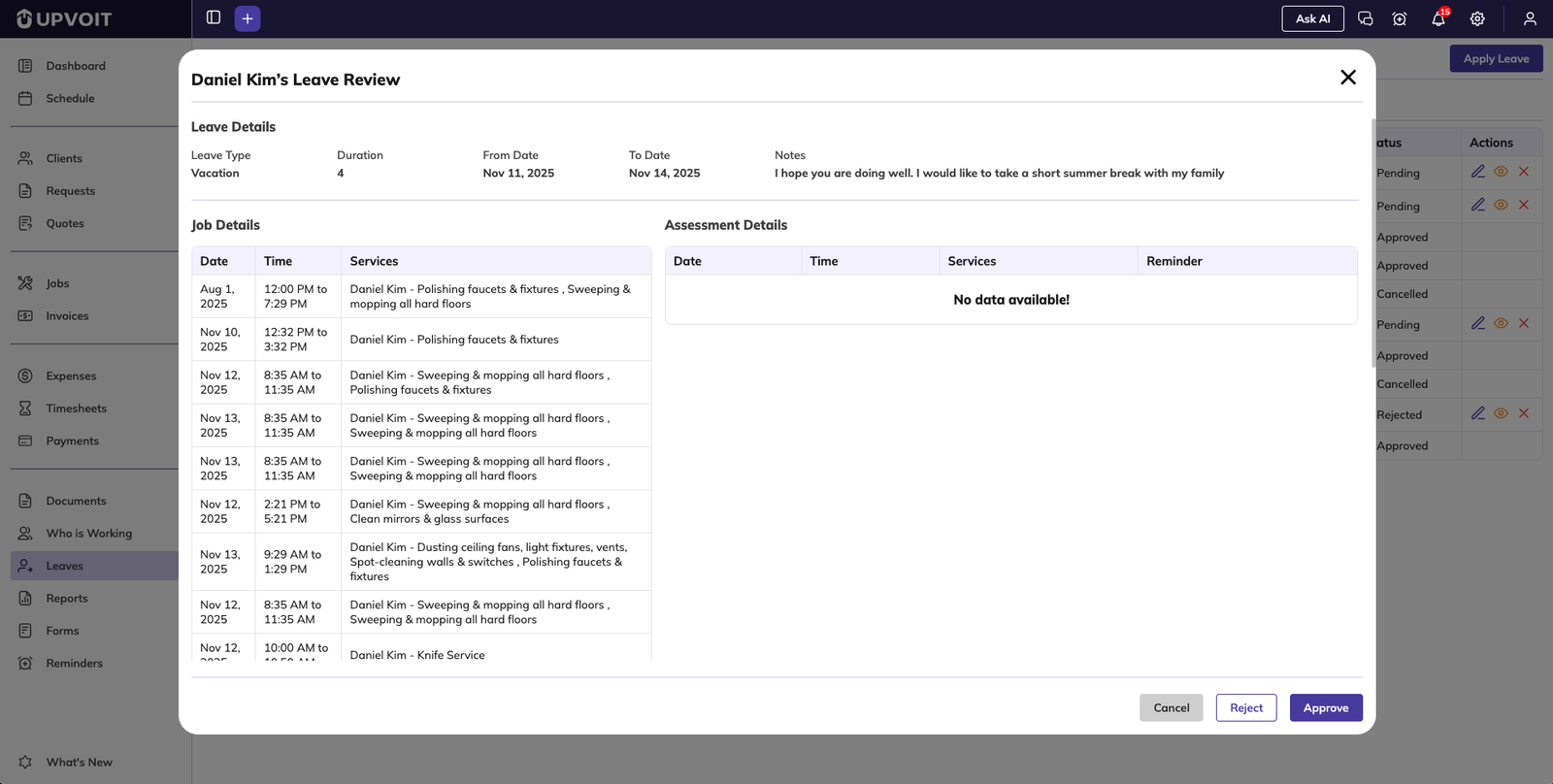
6.2 Job Assignment Handling
Before approving a leave, managers can decide how assigned jobs should be managed:
Unassign jobs during the leave period
Reassign jobs to another technician using the dropdown
This ensures that work continues without disruption during employee absence.
6.3 Approving or Rejecting Leave
Managers can approve or reject the leave with a single click. The leave status updates instantly, and job assignments are updated automatically based on the selected option.
Leave Status and System Updates
Leave status changes are reflected across the system in real time. Employees and managers can clearly see the current state of each leave request.
Updated job assignments ensure smooth operational continuity.
Summary
The Leave Management Module in Upvoit makes applying, tracking, and approving leave simple and efficient. By combining clear visibility, flexible job reassignment options, and real-time updates, the module ensures transparency for employees and uninterrupted workflows for managers.
Did this answer your question?


